Element Doodle Design: Practical Ways to Use Hand-Drawn Graphics in Modern Projects
In a digital landscape that often feels overly polished and sterile, there is a growing appetite for visuals that feel human. This is where Element Doodle Design steps in. These hand-drawn assets bridge the gap between professional structure and approachable charm. Whether you are a seasoned graphic designer looking to speed up your workflow or a small business owner trying to make your social media posts stand out, doodle elements offer a versatile solution. They add texture, personality, and visual interest without overwhelming the core message.
The appeal of doodle-style graphics lies in their imperfection. Unlike rigid geometric shapes or stock photography that can feel generic, doodles suggest creativity and effort. They mimic the look of sketching on paper, which triggers a sense of nostalgia and authenticity in viewers. For creators, this means you can soften a corporate brand voice, highlight key information in educational materials, or simply add a playful touch to personal projects. The key is understanding how to integrate these elements effectively so they enhance rather than distract from your content.
Understanding the File Formats and What You Get
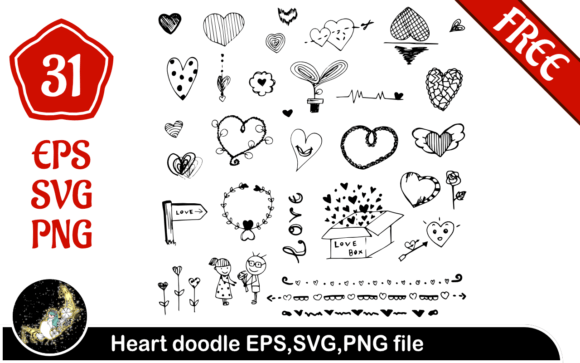
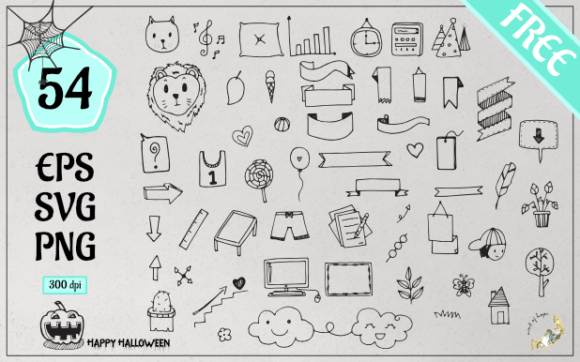
When you download a pack like Element Doodle Design, you are not just getting a single image. You are receiving a toolkit designed for flexibility across different software and platforms. Understanding what is inside the zip file helps you plan your workflow before you even start designing. Typically, these packs include three primary formats: EPS, SVG, and PNG. Each serves a distinct purpose depending on your technical needs and the tools you use.
The EPS file is a vector format that is ideal for professional design software like Adobe Illustrator. Because it is vector-based, you can scale the doodles to any size—from a tiny icon on a business card to a massive banner for a trade show—without losing quality. This is crucial for print projects where resolution matters. If you need to edit the lines, change colors, or combine elements to create new shapes, the EPS file gives you full control over every anchor point and stroke.
The SVG file is also vector-based but is optimized for the web. If you are building a website, creating an email newsletter, or working with modern design tools like Figma or Canva, SVGs are your best friend. They load quickly, remain crisp on high-resolution retina screens, and can often be manipulated with code for interactive effects. Using SVGs ensures that your doodles look sharp on mobile devices and desktops alike, maintaining that hand-drawn aesthetic regardless of the screen size.
Finally, the pack includes 54 PNG files at 300dpi with translucent backgrounds. These are raster images, meaning they are made of pixels, but the 300dpi resolution ensures they are print-ready. The translucent background is the most important feature here. It allows you to drag and drop these doodles directly onto photos, colored backgrounds, or complex layouts without having to manually remove any white space. This format is perfect for users who do not have advanced design software. You can use these in Microsoft Word, PowerPoint, Photoshop, or even simple photo editors on your phone. The variety of 54 different designs means you have enough options to keep your content fresh without repeating the same visual cues too often.
Real-World Applications for Creators and Businesses
The versatility of Element Doodle Design means it fits into numerous scenarios. Let’s look at how different users can apply these assets to solve real problems.
Social Media and Content Marketing
For bloggers and social media managers, stopping the scroll is the primary challenge. A plain text post or a standard stock photo often gets ignored. By overlaying doodle arrows, circles, or underlines on your images, you direct the viewer’s eye to the most important part of the message. For example, if you are promoting a sale, a hand-drawn circle around the discount percentage feels more urgent and personal than a generic red badge. These elements break up the monotony of feed aesthetics and signal that there is a human behind the brand.
Educational Materials and E-Learning
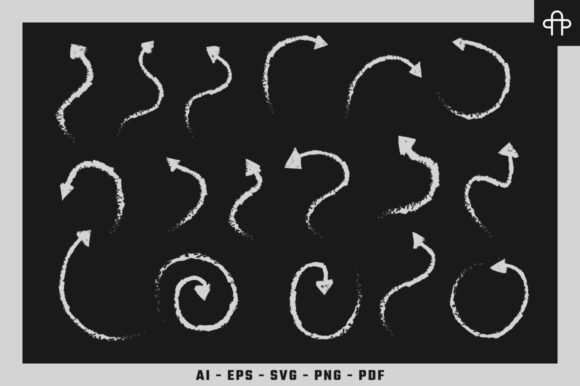
Educators and course creators know that engagement drops when pages are dense with text. Doodles act as visual anchors that help students process information. You can use bullet points made of small stars or checks to list key takeaways. Arrows can guide the eye through a step-by-step process diagram. The informal nature of doodles reduces the intimidation factor of complex subjects, making learning feel more accessible and less rigid. When you use the PNGs with transparent backgrounds, you can place these elements directly over screenshots or video thumbnails to highlight specific areas without obscuring the underlying content.
Branding and Packaging for Small Businesses
Small businesses, especially those in artisanal, food, or lifestyle sectors, benefit greatly from the organic feel of doodles. Imagine a coffee shop using hand-drawn steam lines or bean illustrations on their menu boards. Or a skincare brand using soft, sketchy leaf motifs on their packaging labels. These elements convey craftsmanship and care. Using the EPS files, a brand designer can customize the line weight and color to match the brand’s exact palette, ensuring consistency across all touchpoints. This level of customization helps build a cohesive brand identity that feels unique rather than templated.
Digital Products and Printables
If you sell digital planners, journals, or stickers, Element Doodle Design provides the raw material for your products. The 54 PNGs can be used as decorative dividers, page corners, or emphasis marks in printable PDFs. Since they are high-resolution, they will print clearly on home printers. For digital planners used on tablets, the SVGs can be imported into apps like GoodNotes or Notability, allowing end-users to decorate their own notes. This adds value to your product by giving customers creative freedom.
Considerations Before You Start Designing
While doodles are powerful, they require thoughtful application. The biggest mistake users make is overcrowding. Doodles are accent pieces, not the main event. If every inch of your design is covered in sketches, the viewer will not know where to look. Use them sparingly to highlight, frame, or connect ideas. Think of them as punctuation marks in a sentence—they add emphasis but should not replace the words themselves.
Another consideration is style consistency. Ensure that the doodle style matches your brand voice. A rough, scratchy doodle might suit a rock band’s flyer but could clash with a gentle yoga studio’s aesthetic. Look at the line weight and complexity of the Element Doodle Design pack you choose. If the lines are thick and bold, pair them with strong, sans-serif fonts. If they are delicate and thin, they will complement elegant serif typography better. Consistency in visual language builds trust and professionalism.
Finally, consider the technical constraints of your platform. If you are emailing a newsletter, large PNG files can increase load times. In such cases, optimizing the image size or using SVGs where supported is a smarter choice. Always test your designs on multiple devices to ensure the doodles remain visible and effective. On small mobile screens, intricate details might get lost, so simpler doodles often perform better in responsive layouts.
By understanding the strengths of each file format and applying the designs with intention, Element Doodle Design becomes more than just a collection of images. It becomes a strategic tool for communication. Whether you are aiming to educate, sell, or entertain, these hand-drawn elements provide the human touch that modern audiences crave. They allow you to inject personality into your work efficiently, saving time while elevating the visual quality of your projects.