16 Team Member Widget Designs
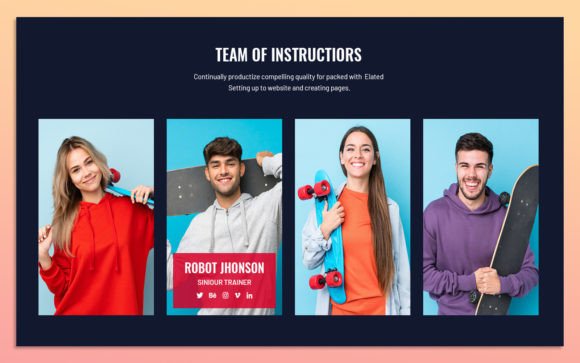
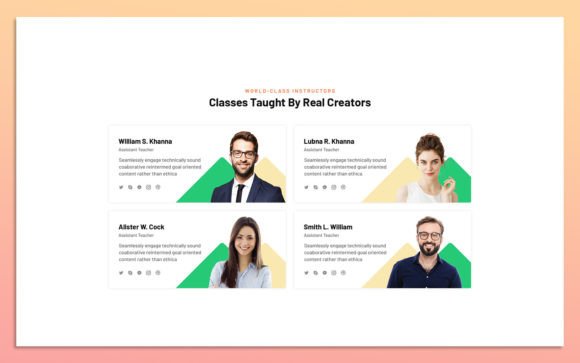
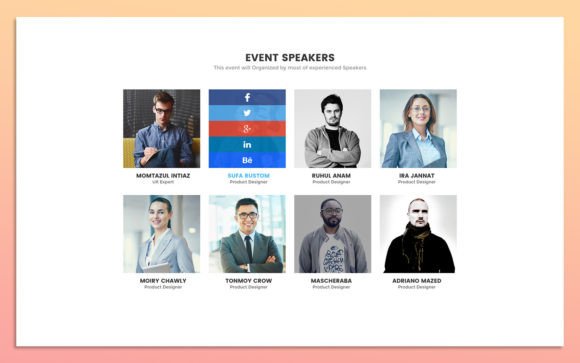
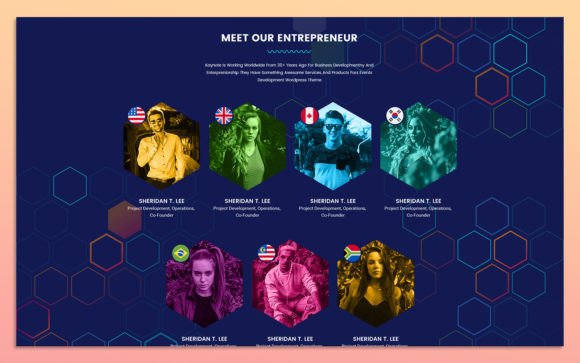
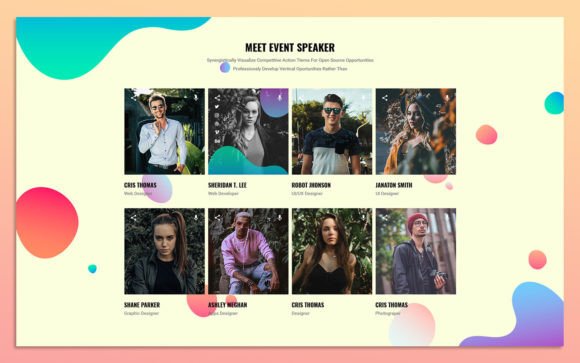
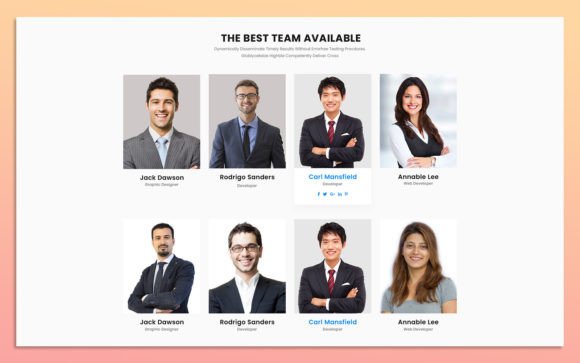
Presenting a team on a website is about more than just listing names and job titles. It is an opportunity to build trust, showcase company culture, and humanize a brand. The 16.Team Member Widget Design Elements offer a streamlined solution for web designers and developers who need to create professional, cohesive team sections without starting from scratch. This UI kit provides a collection of pre-designed components that are fully editable, scalable, and optimized for modern web standards.
For anyone building a digital presence, the challenge often lies in balancing aesthetic appeal with technical efficiency. These widgets address that balance by offering a simple, clean, and modern design language that adapts to various brand identities. Whether you are a solo freelancer showcasing your network or a large corporation introducing your leadership board, the flexibility of these elements allows for seamless integration into existing layouts.
Understanding the Core Features
The primary value of the 16.Team Member Widget Design Elements lies in their adaptability. Each widget is constructed with fully organized layers in Photoshop, ensuring that users can navigate the source files with ease. This organization is critical for maintaining workflow efficiency, especially when multiple stakeholders are involved in the design process.
- Fully Editable Source Files: Every element, from text boxes to image placeholders, can be modified directly in Photoshop. This allows for precise control over spacing, typography, and visual hierarchy.
- 100% Scalable Vector Elements: The designs retain their quality at any size, making them suitable for both high-resolution desktop screens and mobile devices.
- Google Fonts Integration: The kit utilizes widely accessible Google Fonts, ensuring that typography remains consistent and easy to implement across different web environments.
- Customizable Color Styles: Users can easily adjust color palettes to match specific brand guidelines, ensuring visual consistency throughout the website.
These features collectively reduce the time spent on repetitive design tasks. Instead of coding or designing each team member card individually, users can select a preferred style from the sixteen options, customize it, and export it for development. This approach supports a faster turnaround time while maintaining high design standards.
Perspectives for Different Users
The utility of these design elements varies significantly depending on the user’s role and objectives. Understanding how different audiences interact with this tool can help determine its relevance to your specific project.
For Beginners and Hobbyists
Individuals new to web design often struggle with layout consistency and spacing. The 16.Team Member Widget Design Elements provide a safe framework for learning. By working with pre-organized layers, beginners can observe how professional designers structure information. They can experiment with changing colors and images without the risk of breaking the overall layout. This hands-on experience offers significant learning value, allowing hobbyists to understand the principles of alignment, contrast, and white space in a controlled environment.
For Freelancers and Agencies
Time is a direct currency for freelancers and creative agencies. The ability to rapidly prototype and deliver high-quality visuals is essential for maintaining profitability. These widgets allow professionals to bypass the initial design phase for standard components. For example, a freelancer working on a small business website can select a clean, minimal widget, update the client’s branding colors, and present a polished concept within hours. The focus shifts from creating basic structures to refining the unique aspects of the project, thereby increasing the commercial value of their services.
For Entrepreneurs and Small Business Owners
Business owners often manage their own websites or work closely with developers. For them, clarity and ease of use are paramount. The simple, clean design of these widgets ensures that the team section looks professional without requiring extensive technical knowledge. Entrepreneurs can evaluate the designs based on how well they communicate their company’s values. A startup might choose a more vibrant, creative widget to reflect innovation, while a law firm might opt for a structured, traditional layout to convey stability. The flexibility to change images and text easily means that as the team grows, the website can be updated without significant redesign costs.
For Educators and Publishers
Educational institutions and publishing houses frequently need to display large groups of contributors, faculty, or authors. The scalability of these elements is particularly beneficial here. Educators can use the widgets to create directory pages that are easy to navigate. The consistent design helps users scan through profiles efficiently, finding the information they need quickly. Furthermore, the use of Google Fonts ensures that the text remains readable across various devices, which is crucial for accessibility in educational contexts.
Practical Application and Customization
To get the most out of the 16.Team Member Widget Design Elements, it is helpful to approach customization with a clear strategy. Start by identifying the primary goal of the team section. Is it to highlight individual expertise, or to showcase the collective spirit of the group?
If the goal is to highlight expertise, choose a widget design that prioritizes text space for bios and credentials. Use the organized layers in Photoshop to adjust the typography, ensuring that names and titles are distinct from the descriptive text. For a more community-focused approach, select a design with larger image placeholders. This draws attention to the faces behind the brand, fostering a sense of connection with the audience.
Changing the color style is a straightforward process that can dramatically alter the mood of the design. Use the layer styles in Photoshop to update background colors, button hues, and accent lines. Ensure that the chosen colors meet accessibility standards, providing sufficient contrast between text and background. This step is vital for ensuring that the content is inclusive and readable for all users, including those with visual impairments.
Image selection also plays a crucial role. While the widgets provide placeholders, the final impact depends on the quality and consistency of the photos used. Aim for uniform lighting and styling across all team member photos. This consistency enhances the professional appearance of the section and reinforces the cohesive design of the widget.
Evaluating Fit for Your Project
Before integrating these elements into your workflow, consider your specific needs regarding flexibility and long-term usefulness. If your project requires highly unconventional layouts or complex animations, these static Photoshop files may serve only as a starting point for further development. However, for most standard web projects, they offer a robust foundation.
Assess your skill level with Photoshop. While the layers are organized for ease of use, a basic understanding of layer management and text editing is necessary. If you are completely new to design software, you might need to invest time in learning these basics. Conversely, if you are experienced, you will appreciate the time saved by not having to build common UI patterns from scratch.
Consider the maintenance aspect. Websites are dynamic, and team members change. The ease of editing these widgets means that future updates can be handled quickly. This long-term usefulness makes them a valuable asset for any organization that anticipates growth or structural changes.
In conclusion, the 16.Team Member Widget Design Elements represent a practical tool for enhancing web interfaces. They bridge the gap between design quality and operational efficiency. By offering a range of styles that are easy to customize, they empower users across various disciplines to create engaging, professional team presentations. Whether you are prioritizing speed, aesthetics, or ease of use, these widgets provide a versatile solution that adapts to your unique requirements.